
How to Disable Instagram Instants and Avoid Accidental Sends
Learn how to disable Instagram Insta, stop accidental selfie sharing, manage privacy settings, and reduce unwanted photo previews in DMs.
 Ellofacts
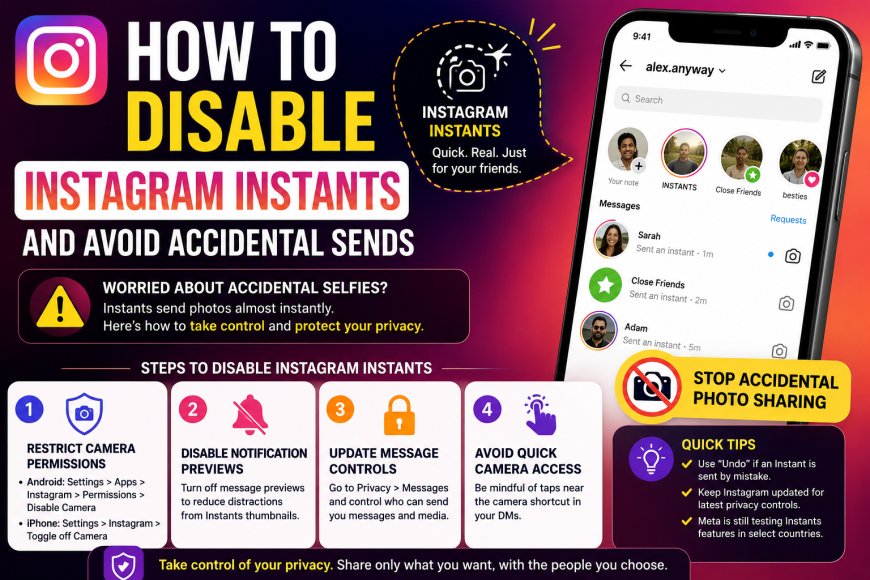
How to Disable Instagram Instant Feature and Stop Accidental Photo Sharing
Instagram has recently introduced a new feature called Instants, designed to encourage spontaneous photo sharing through direct messages. The feature allows users to quickly capture and send temporary photos to friends or close friends directly from the app’s messaging section.
Unlike Instagram Stories, which remain visible for up to 24 hours, Instants are meant to feel more immediate and casual. Photos are sent almost instantly after the shutter button is pressed, giving users very little time to edit, review, or apply filters before the image is delivered.
While the feature aims to make private sharing faster and more interactive, many users have expressed concerns about accidentally sending unwanted selfies or photos due to the quick-send design. Some users have also complained that Instant's thumbnails clutter their inboxes and create confusion inside direct messages.
According to Meta, the company is also testing a standalone Insta app in select countries to provide even faster camera access and real-time sharing capabilities. However, privacy-conscious users are now searching for ways to disable the feature completely.
Why Users Want to Disable Instagram Instants
Several Instagram users have raised concerns regarding the feature’s ease of accidental sharing. Since the camera opens quickly and images can be sent almost immediately, many people fear unintentionally sharing private or embarrassing photos through the front camera.
Common complaints include:
- Accidental selfie sharing
- Unwanted camera activation
- Inbox clutter from Instant previews
- Lack of review time before sending
- Privacy concerns over spontaneous image sharing
Although Instagram currently offers an “Undo” option for unseen Insta Stories, users still prefer additional controls to prevent accidental sends entirely.
How to Disable Instagram Instants
While Instagram has not introduced a direct “Turn Off Instants” button for all users yet, there are several settings adjustments that can reduce or effectively disable the feature experience.
1. Restrict Camera Permissions
You can limit Instagram’s access to your device camera through your phone settings.
On Android:
- Open Settings
- Go to Apps
- Select Instagram
- Tap Permissions
- Disable Camera access
On iPhone:
- Open Settings
- Select Instagram
- Toggle off Camera permission
This prevents the Instant camera from functioning automatically.
2. Disable Notification Previews
Turning off Instagram message previews can help reduce distraction from incoming Instagram thumbnails.
3. Update Message Controls
You can restrict who can send you messages or media by adjusting Instagram privacy settings inside the app.
4. Avoid Quick Camera Access
Try avoiding taps near the message camera shortcut, especially while browsing DMs, to reduce accidental photo captures.
Instagram Continues Testing New Messaging Features
Instagram has increasingly focused on private messaging and spontaneous sharing features to compete with platforms like Snapchat and BeReal. Instants appear to be part of Meta’s larger strategy to encourage casual communication instead of heavily edited public content.
However, as users continue reporting accidental shares and usability issues, Instagram may eventually introduce more customisation options or a dedicated disable feature in future updates.
Until then, adjusting app permissions and privacy controls remains the best way to limit or avoid the Instants experience completely.